Personal relationship manager

The people who matter, always in your orbit.

A private, on-device home for the relationships that matter.

For iPhone, iPad and Mac. No account needed in the app.

Read the film as text

A 51-second film with no sound. Each scene shows a few words on screen.

  1. An orange planet labelled Sarah Lee drifts through space. On screen: “Sarah was always up for a coffee.”
  2. A “last catch-up” counter under her name climbs from 37 days to 3 months. On screen: “Then three months went by.”
  3. A violet sun appears and draws Sarah into an orbit around it. On screen: “Orbari keeps her in your orbit.”
  4. Notes appear beside Sarah: product designer, loves oat flat whites, training for a marathon, wants to visit in spring. On screen: “Remember what matters to her.”
  5. Smaller planets join her orbit: Alex, her partner; Sam, her son; and Rex, her dog. On screen: “See how everyone connects.”
  6. A reminder counts down to Sarah’s birthday until it reads “today”, then changes to “catch-up logged”. On screen: “A gentle nudge to reach out.”
  7. The view pulls back to show more people in orbit: Sarah Lee, John Lee, Margaret Bloom, Wei Chen and Maya Patel. On screen: “Everyone who matters.”
  8. The closing card reads: Orbari. A private, on-device personal relationship manager. orbari.app. iPhone, iPad and Mac, one purchase. On screen: “Keep your people close.”
Feature tour

From memory to follow-up.

Your people, conversations and connections — on iPhone, iPad and Mac.

The details that matter

Remember what makes them, them.

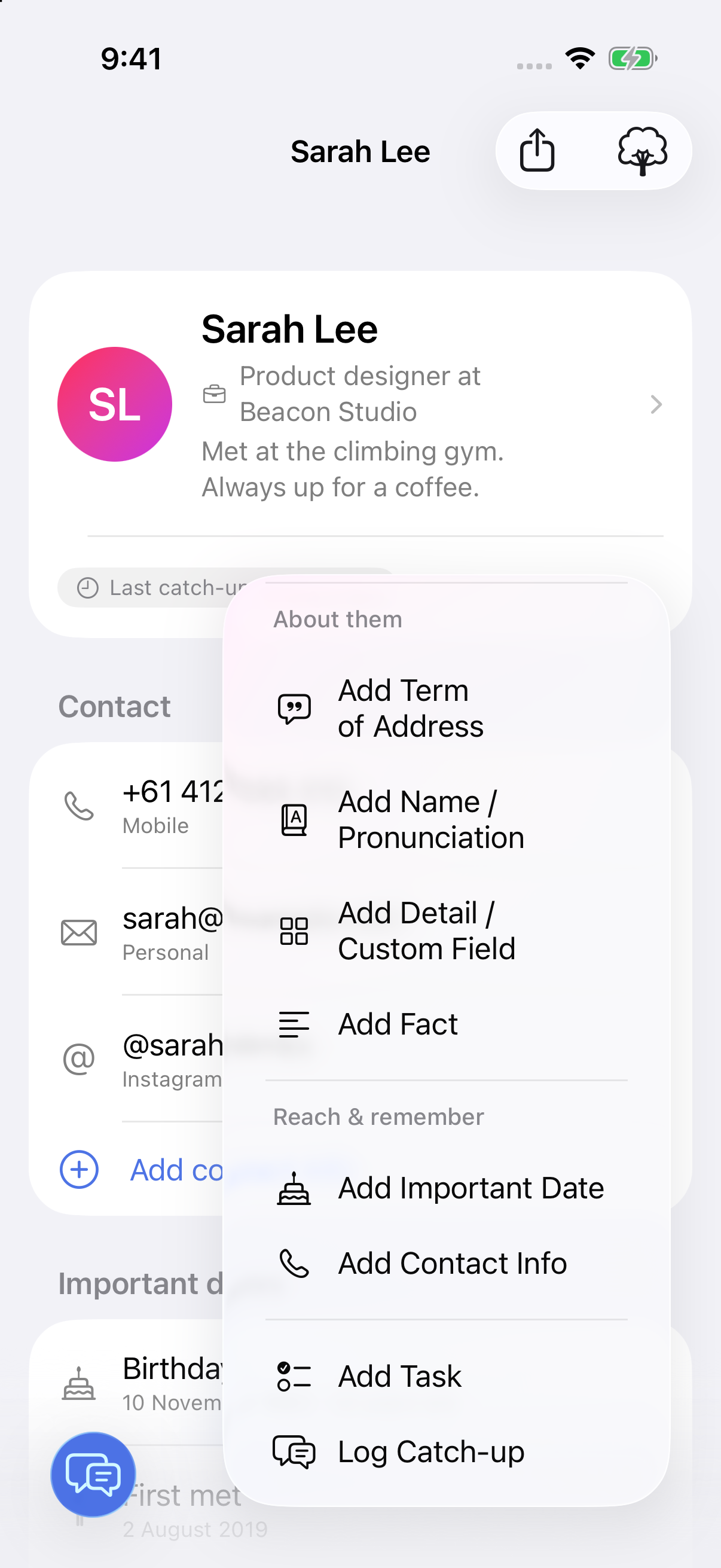
Save their favourite coffee, how to say their name, gifts you’ve exchanged and things you’ve promised to do. Add facts, dates, tasks, relationships and custom details from one menu.

  • Facts and custom details
  • Names and pronunciation
  • Gifts, loans and tasks
Sarah Lee’s iPhone profile with the + menu open, showing facts, custom details, names and pronunciation, important dates, contact info, tasks and catch-ups. (full-size image)
iPhoneWhat you can save
Catch-up capture

Turn a conversation into useful memory.

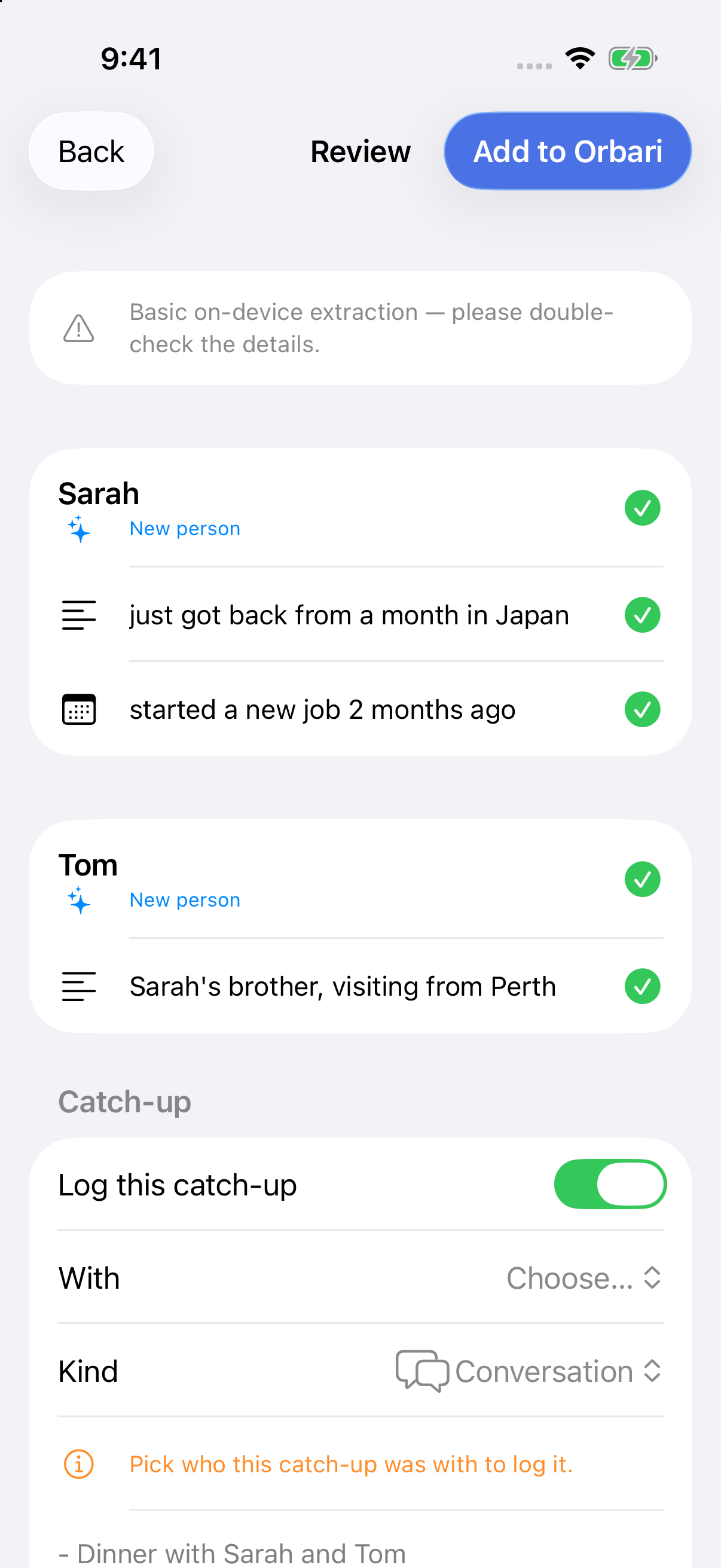
Speak or paste what happened. On supported devices, Apple’s on-device intelligence suggests people, dates and follow-ups for you to review before saving.

  • Voice or text
  • Review suggestions
  • You decide what saves
iPhone review screen with suggested people and facts, individual checkmarks and a catch-up to review before saving. (full-size image)
iPhoneReview before saving
Relationships

See how the people in your life connect.

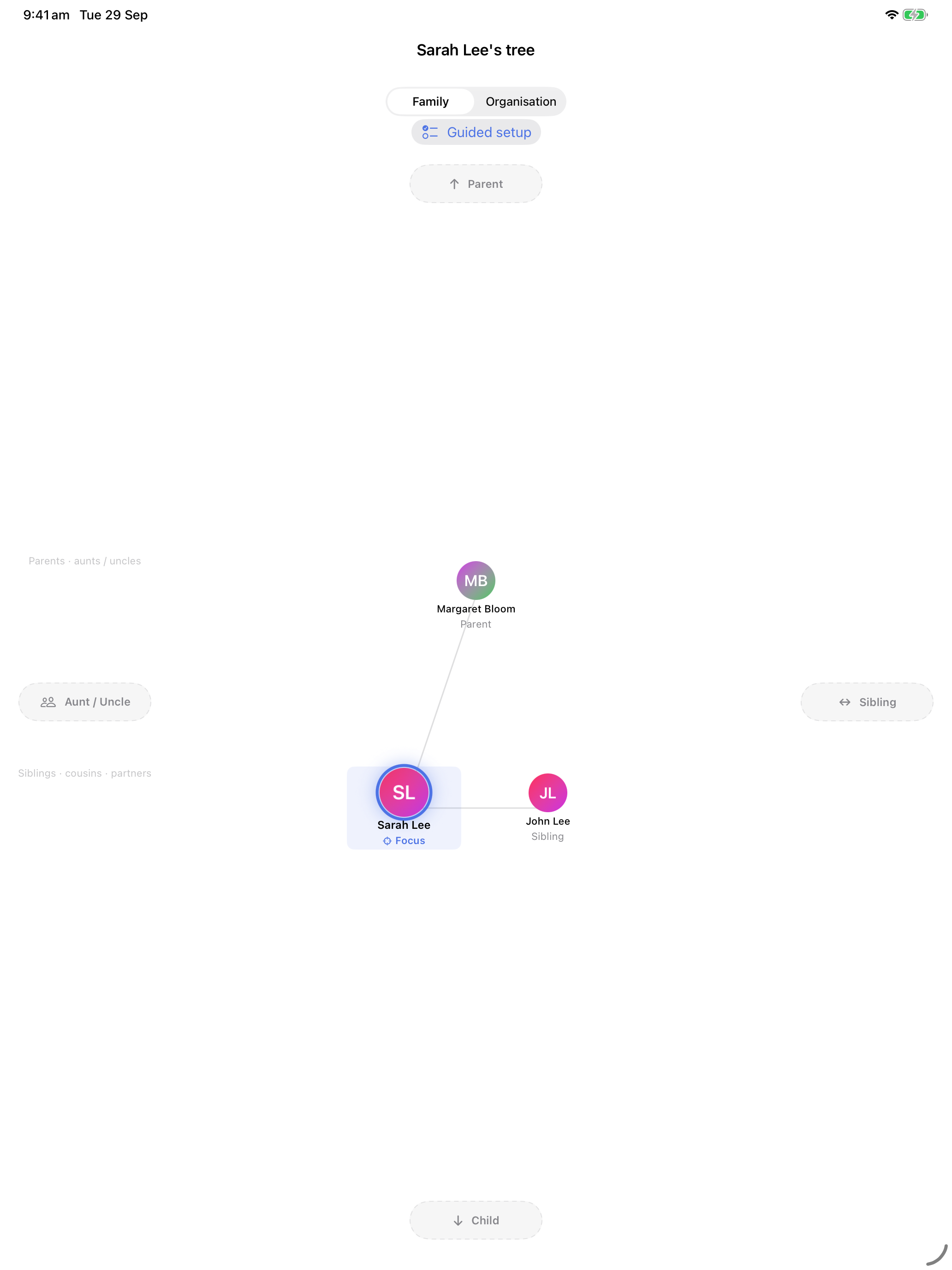
Link partners, parents, children, friends and pets in a relationship map built for more than a simple family tree.

  • Typed relationships
  • Family and friends
  • Room for complexity
A detail of Orbari’s iPad relationship tree showing Sarah Lee, her parent Margaret Bloom and sibling John Lee. (full-size image)
iPadA closer look at family connections
Thoughtful follow-ups

Notice when it is time to reach out.

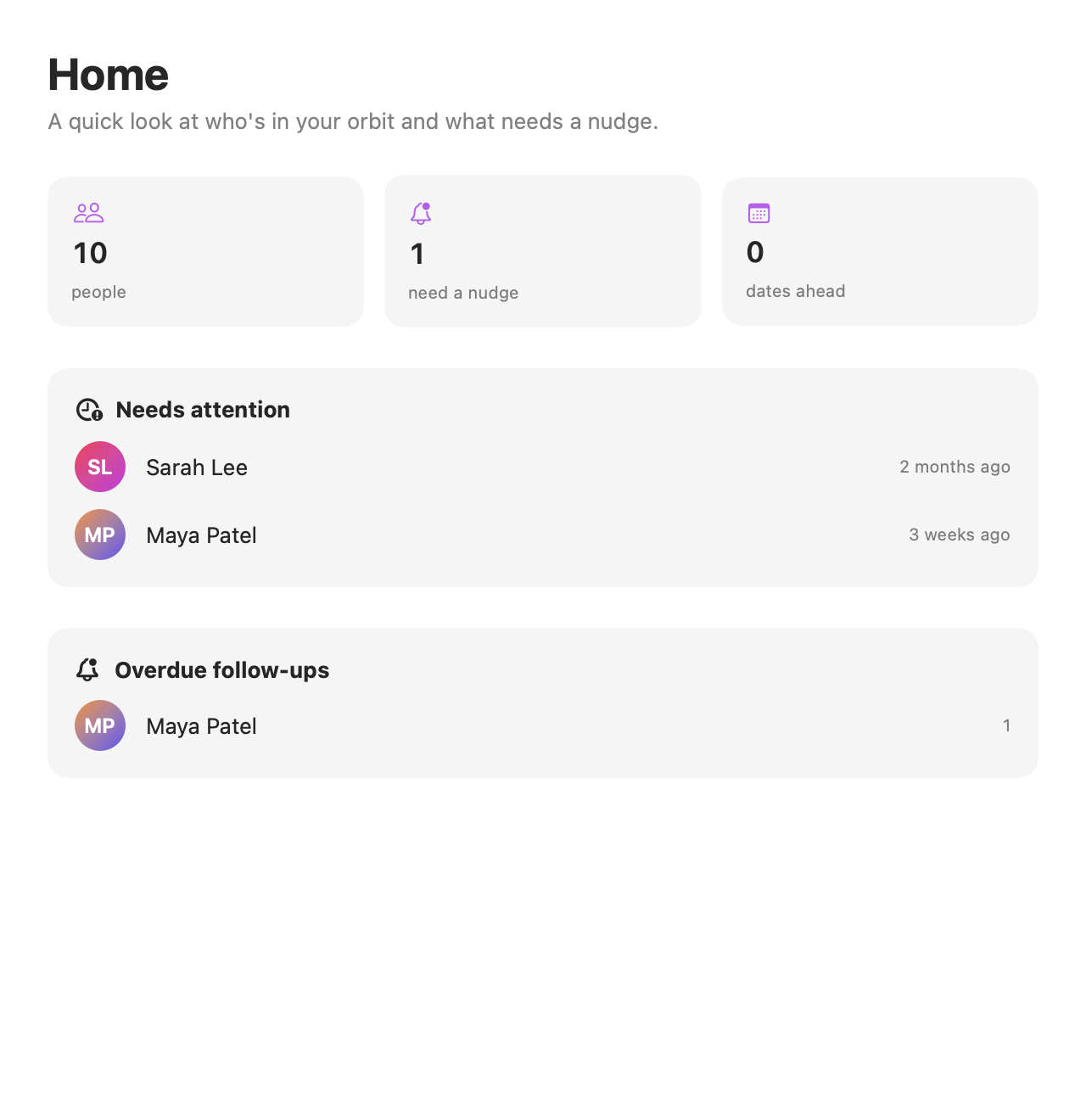
See who you haven’t caught up with, which follow-ups are overdue and whose birthday is coming up. Choose what to act on, with Reminders or Calendar when you want them.

  • Who needs attention
  • Upcoming dates
  • Reminders and Calendar
Orbari’s Mac Home overview showing people who need attention and an overdue follow-up. (full-size image)
MacA reason to reach out

Your relationship history stays yours.

The app keeps its database on your device. Optional Markdown mirroring writes readable plain-text copies to a folder you choose, including iCloud Drive or an Obsidian notes vault. Those files are not a restorable app backup or full database sync.

No app accountOn-device assistanceReadable exports

Free to begin. Pay once to keep going.

Keep up to five people for free. One purchase — not a subscription — unlocks unlimited people, Markdown mirroring and export, and extra app icons.

Orbari unlock

The App Store will show the price in your region when Orbari is available.

Get launch updates

iPhone, iPad and Mac are planned under one purchase.

  • Unlimited people
  • Markdown mirroring
  • Markdown export
  • Extra app icons

Help shape Orbari.

See planned work, vote on published ideas or send a private suggestion. Questions? Email support@orbari.app.